HSBC_IDS check list
-
Please read before connecting
Throughout this page, SAP Business One would be referred to as SAP and Microsoft SQL Server would be abbreviated to MSSQL.
HSBC_IDS supports the version of SAP relies on Microsoft SQL Server to store data entered. In order for the HSBC_IDS application to retrieve data a connection to the datasource (MSSQL) is required, some IT assistance may be required to acquire these.
Connecting to your SAP Company
-
How to connect to your SAP Company
Please follow steps below to configure your SAP company to the HSBC_IDS application.
Click each step below for a pictorial view


Advanced Technical Information / Options
-
Automatic Extractions on Servers
Your HSBC_IDS application may be setup to retrieve data automatically at a predefined schedule, this functionality relies to be logged on at the scheduled time. Due to the nature of Servers, it may rarely be logged into. So if the HSBC_IDS application is installed on a Server, extractions may not always perform automatically. To enable this feature a task scheduler would have to be created.
To create a task scheduler please go to the installation path of HSBC_IDS, usually held in C:\HSBC_IDS_xxx\ Open the taskSchedule.bat file and follow the instructions.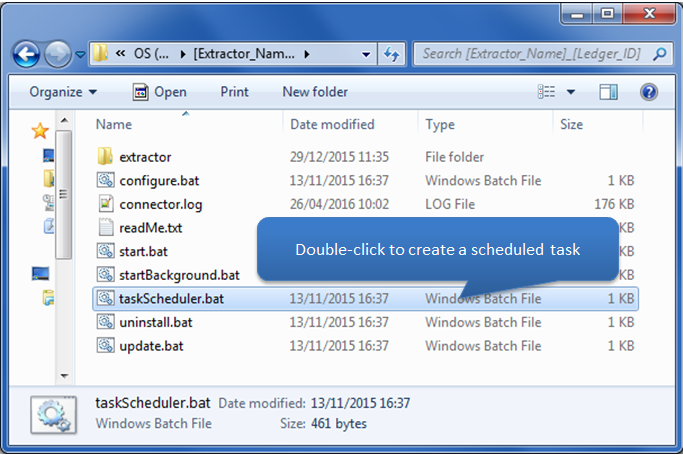
-
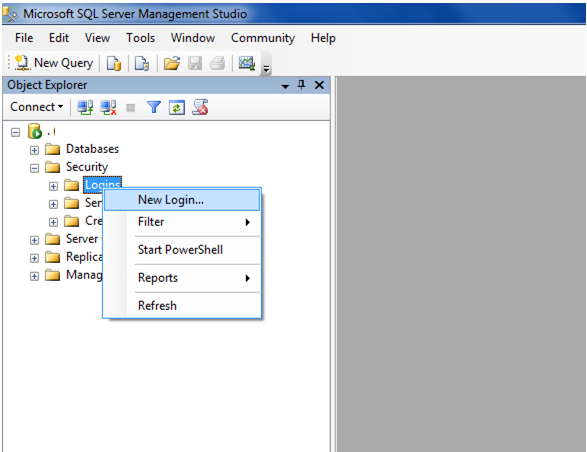
Creating dedicated MSSQL user
An MSSQL user can be created dedicated to the HSBC_IDS application. This user should be created and mapped to the desired database with db_readonly rights as a minimum requirement.
Click each step below for a pictorial view
Test Connection Errors
-
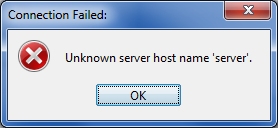
Unknown server host name
If this error appears the Server isn�t able to be located. This could be due to a number of reasons.
- The server might be turned off
- The server may not be on the same network as the same PC HSBC_IDS is running from
- The PC HSBC_IDS is running from may not have access to that server
- The server may have an instance that the database (that SAP is using) is located on.
- The server may be using a different TCP/IP
- There might be spelling error
-
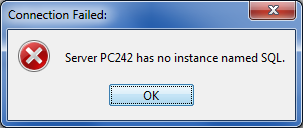
Server has no instance
If the error below appears, the SQL Server instance name is incorrect or doesn't exist. Please check the SAP server name/instance name, more info in Step 2 above
-
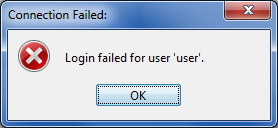
Login Failed for user
If this error appears the SQL Server user/password is incorrect.
IT assistance may be required with this type of error.
-
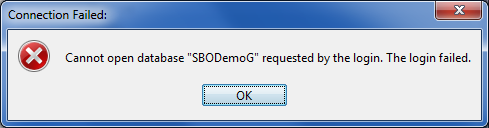
Cannot Open Database
This error could mean the Database name has been entered incorrectly, or the SQL user doesn't have read permissions to this database. IT assistance may be required with this type of error.